


Decide what to watch in under 3 minutes.
Tell me what you fancy, tap what catches your eye and I'll give you your Top 10 from what's on your streaming services.
Free · Sign in with Google · No passwords
How TurboZap works
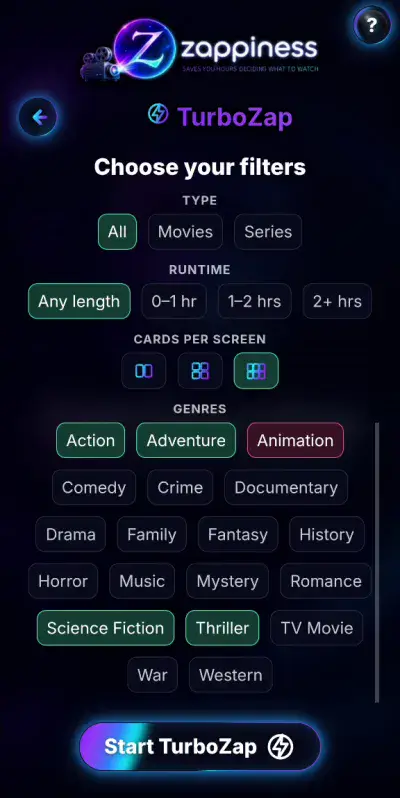
Tell me what you fancy
Pick genres, length and whether you want a film or a series.
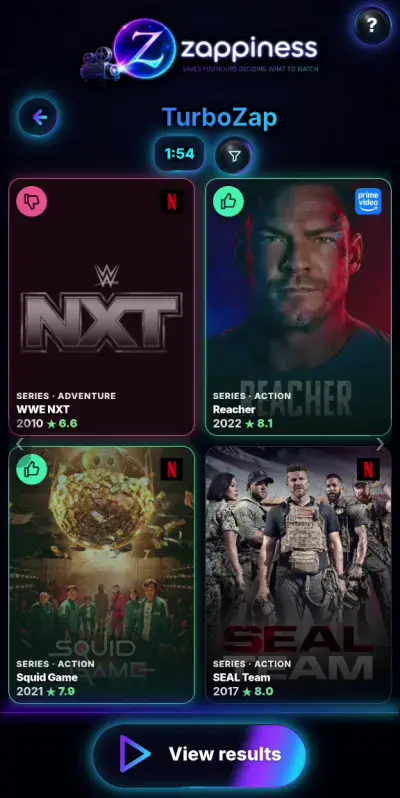
Tap what catches your eye
Tap the posters you like. Don't overthink it: you've got 2:30.
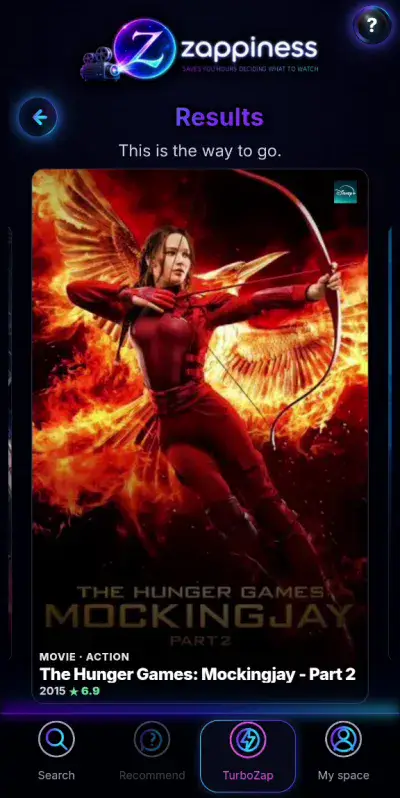
Your Top 10, ready
Only what's on your streaming services. With trailers and one tap to watch.
And there's more
It learns your taste
Use Train to show it what you like, and Recommend suggests titles picked for you.
Follow your series and releases
Mark the episodes you watch and Zappiness tells you about new ones. Plus what's on your Watchlist: season premieres, films in cinemas and when they reach your streaming services.
As a couple or a group
TurboZap Duo: everyone picks on their own phone and you get one shared Top 10. Join with a QR code.
Bring your history
Import what you've watched on Netflix, Letterboxd or IMDb and start with your taste already loaded.
Everything in My space
Watchlist, watched titles and your own lists, all in one place.
15–30 min
is what we lose, on average, just deciding what to watch across several streaming services.
Source: Atmedia Index 2025 / Bango 2026.
FAQ
What is Zappiness?
A free app to decide what to watch across your streaming services. With TurboZap you get your Top 10 in under 3 minutes, and it also learns your taste, organises what you want to watch and lets you know about new releases.
Is Zappiness free?
Yes. You can use Zappiness for free.
Do I need to create an account?
No sign-up needed: you sign in with your Google account, no new passwords.
Which streaming services can I use with Zappiness?
Zappiness checks where films and TV series are available on nearly a thousand streaming services worldwide, adapting the results to your region and the services you use.
Do I have to install anything?
No. Zappiness works in your phone or computer browser. If you like, you can install it on your phone like any other app.
How does Zappiness decide what to recommend?
Zappiness takes your tastes, previous choices, history and filters into account to recommend films and TV series available on your streaming services. Recommend uses your usual profile, while TurboZap focuses on what you're in the mood to watch today.
What's the difference between Recommend and TurboZap?
Recommend uses your profile and usual tastes to find content that suits you. TurboZap focuses on what you're in the mood to watch today, even if it's different from what you usually choose.
Can we use it to choose as a couple or a group?
Yes, with TurboZap Duo: everyone picks on their own phone and you get one shared Top 10. Joining is as easy as scanning a QR code.
Can I bring what I've already watched?
Yes. You can import your history from Netflix, Letterboxd or IMDb and start with your taste already loaded.
Does it tell me about new episodes and releases?
Yes. It lets you know about new episodes of the series you follow and about what's on your Watchlist: season premieres, films in cinemas and when they reach your streaming services.
Can I organise content from multiple streaming services?
Yes. Zappiness lets you organise films and TV series from your streaming services in one place, managing favourites, your watchlist, watched titles and your own lists.
Does Zappiness use artificial intelligence?
Zappiness does not use generative AI to create its recommendations. Its suggestions are based on your tastes, recent choices, history, filters and content availability on your streaming services. As you interact with Zappiness, your profile is updated to better tailor recommendations to you.
What are we watching tonight?
Try it now. It's free and you sign in with your Google account.
Free · Sign in with Google · No passwords